Free Online Timecode Converters Compared: Who Gets the Math Right?
We tested six free online timecode converters against verified test cases — drop-frame boundaries, NTSC precision, high framerates, and millisecond round-trips. Here is what we actually found.
You need a quick timecode conversion. Maybe you are spotting for sound and need to know the frame number for 02:05:59;29 at 29.97 drop-frame. Maybe you are conforming a 23.976 timeline and need the millisecond position of frame 172,032. You Google "timecode converter," click the first result, type in your values, and trust the answer.
You know this is risky. We know this is risky. Your clients — who are paying for frame-accurate deliverables — definitely know it when something drifts.
We maintain an open-source timecode library backed by 861 verified test cases covering every standard broadcast framerate, drop-frame boundary math, millisecond round-trips, and fuzzy-math edge cases. We took a representative set of those test cases and ran them against every free online timecode converter we could find — in the browser, with live inputs, reading the actual outputs.
Here is what we found.
The Tools
We evaluated six free, publicly available web-based timecode tools:
| Tool | URL | Primary Function |
|---|---|---|
| EditingTools.io | editingtools.io/timecode | Timecode format conversion, bulk CSV |
| AVTools.io TC Convert | avtools.io/tc-convert | Framerate-to-framerate conversion |
| Rob's Timecode Calculator | robwomack.com/timecode-calculator | Timecode arithmetic (add, subtract, multiply, divide) |
| Omni Calculator | omnicalculator.com/other/timecode-to-frame | Timecode to frames / frames to timecode |
| Michael Cinquin | michaelcinquin.com/tools/timecode_keykode | Timecode arithmetic + keykode conversion |
| ZapStudio FrameCalc | zapstudio.net/framecalc | Frame count from time / time from frames |
And the tool we built:
| Tool | URL | Primary Function |
|---|---|---|
| timecode.dev Playground | timecode.dev/tools/playground | Full bidirectional conversion: timecode, frames, milliseconds, seconds, media time |
What Each Tool Offers
Not every tool tries to do the same thing. Some are calculators (add/subtract timecodes), some are converters (change framerates), and some are lookup tools (timecode to frames). Before we talk about accuracy, here is what each tool claims to support:
| Feature | EditingTools | AVTools | Rob's TC Calc | Omni Calc | Cinquin | ZapStudio | timecode.dev |
|---|---|---|---|---|---|---|---|
| TC → Frame Number | ✅ | ❌ | ✅ | ✅ | ✅ | ✅ | ✅ |
| Frame Number → TC | ❌ | ❌ | ✅ | ✅ | ❌ | ✅ | ✅ |
| TC → Milliseconds | ✅ | ❌ | ❌ | ❌ | ❌ | ❌ | ✅ |
| Milliseconds → TC | ❌ | ❌ | ❌ | ❌ | ❌ | ❌ | ✅ |
| Framerate Conversion | ✅ | ✅ | ❌ | ❌ | ❌ | ❌ | ✅ |
| TC Arithmetic | ❌ | ❌ | ✅ | ❌ | ✅ | ❌ | ✅ |
| Drop-Frame (29.97) | ✅ | ✅ | ✅ | ❌ | ❌ | ❌ | ✅ |
| Drop-Frame (59.94) | ✅ | ✅ | ❌ | ❌ | ❌ | ❌ | ✅ |
| 23.976 fps | ✅ | ✅ | ❌ | ✅ | ✅ | ✅ | ✅ |
| 50 / 60 fps | ✅ | ✅ | ❌ | ❌ | ✅ | ❌ | ✅ |
| 100+ fps | ❌ | ❌ | ❌ | ❌ | ❌ | ❌ | ✅ |
| Bulk / Batch | ✅ | ✅ | ❌ | ❌ | ❌ | ❌ | ✅ |
A few things jump out immediately.
No tool besides timecode.dev supports milliseconds as an input. This matters because subtitle formats (SRT, VTT, SBV) and browser <video> elements all use milliseconds. If you are working with subtitles and need to go from 7559985.767 ms to a frame number at 29.97 DF, most of these tools cannot help you.
Drop-frame support is patchy. Only three tools handle 29.97 DF, only two handle 59.94 DF, and the ones that do handle it often treat it as a display toggle rather than a fundamental change to the frame counting algorithm.
No tool besides timecode.dev supports framerates above 60fps. If you are working in HFR (100fps, 120fps), you are on your own with every other tool on this list.
The Test Results
These are the conversions most likely to separate a tool that has genuinely implemented the math from one that approximated it. We ran each one live in the browser and recorded what came back.
The troublesome cases:
01:59:28:00@ 23.976fps → frame count — does the tool count SMPTE frames (integer 24fps counting), or multiply wall-clock seconds by the decimal fps?01:59:28:00@ 23.976fps → milliseconds — does the tool use the exact 24000/1001 fraction, or a decimal approximation?02:05:59;29@ 29.97 DF → frame count — does the tool correctly accumulate 226 drop counts across 2+ hours?- Frame 226,574 @ 29.97 DF → timecode — does the tool place you at
;02(correct skip) or;00(missed skip)? 01:00:00:00@ 23.976 → 29.97 DF — does the tool preserve wall-clock duration, or just re-label the frame number?00:28:00;04@ 59.94 DF → frame count — does the tool drop 4 frame numbers per minute boundary, or 2?7,559,985.767ms → timecode @ 29.97 DF — can the tool even accept milliseconds as input and resolve to a drop-frame timecode?
| Conversion | Expected | EditingTools | AVTools | Rob's | Omni | Cinquin | ZapStudio | timecode.dev |
|---|---|---|---|---|---|---|---|---|
01:59:28:00 @ 23.976fps → frames | 172,032 | ✅ 172,032 | — | — | ❌ 171,860 | ✅ 172,032 | ❌ 171,860 | ✅ 172,032 |
01:59:28:00 @ 23.976fps → ms | 7,175,168 ms | ❌ 7,182,343 ms | — | — | — | — | — | ✅ 7,175,168 ms |
02:05:59;29 @ 29.97 DF → frames | 226,573 | ✅ 226,573 | — | ✅ 226,573 | — | — | — | ✅ 226,573 |
| Frame 226,574 @ 29.97 DF → TC | 02:06:00;02 | ✅ 02:06:00;02 | — | ✅ 02:06:00;02 | — | — | — | ✅ 02:06:00;02 |
01:00:00:00 @ 23.976 → 29.97 DF | 01:00:03;18 | ❌ 00:48:02;28 | ✅ 01:00:03;18 | — | — | — | — | ✅ 01:00:03;18 |
00:28:00;04 @ 59.94 DF → frames | 100,700 | ✅ 100,700 | — | — | — | — | — | ✅ 100,700 |
7,559,985.767 ms → TC @ 29.97 DF | 02:05:59;29 | — | — | — | — | — | — | ✅ 02:05:59;29 |
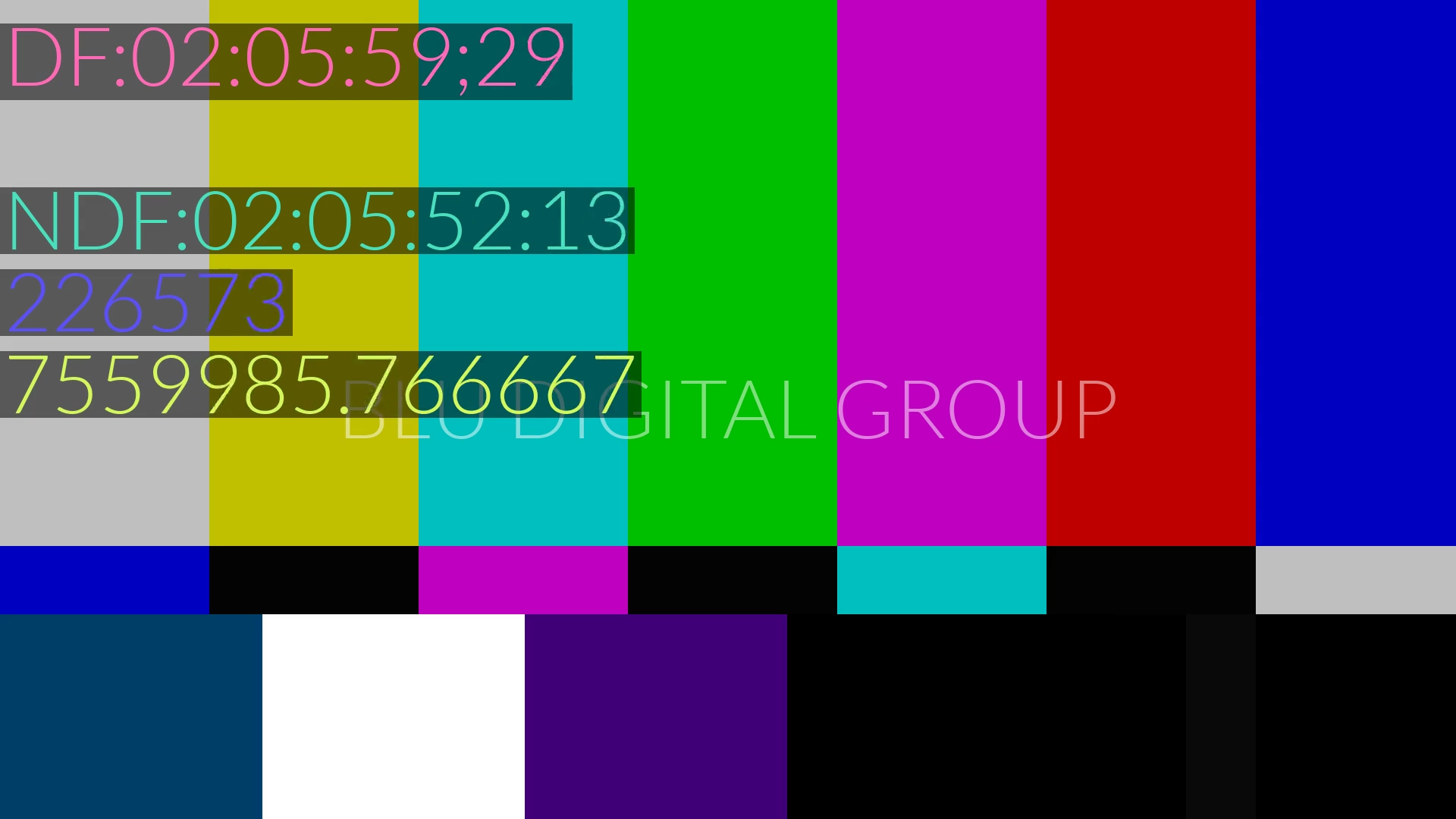
— means the tool does not support that conversion type. Every expected value is verified against bars and tones — see proof screenshots below.
Three things stand out. Omni and ZapStudio both return 171,860 for the 23.976fps frame count, despite claiming NTSC support. EditingTools performs a frame-preserving conversion instead of duration-preserving when converting to 29.97 DF — keeping the frame number (86,400) instead of computing the wall-clock equivalent (108,000). And no tool besides timecode.dev can even accept milliseconds as input — the exact format that SRT, VTT, and every browser <video> element uses. If you are working with subtitle files and need to resolve 7,559,985.767 ms to a frame-accurate drop-frame timecode, the entire row is dashes.
View bars & tones proof for every expected value
Every expected value in the table above was verified against bars and tones at the correct framerate.
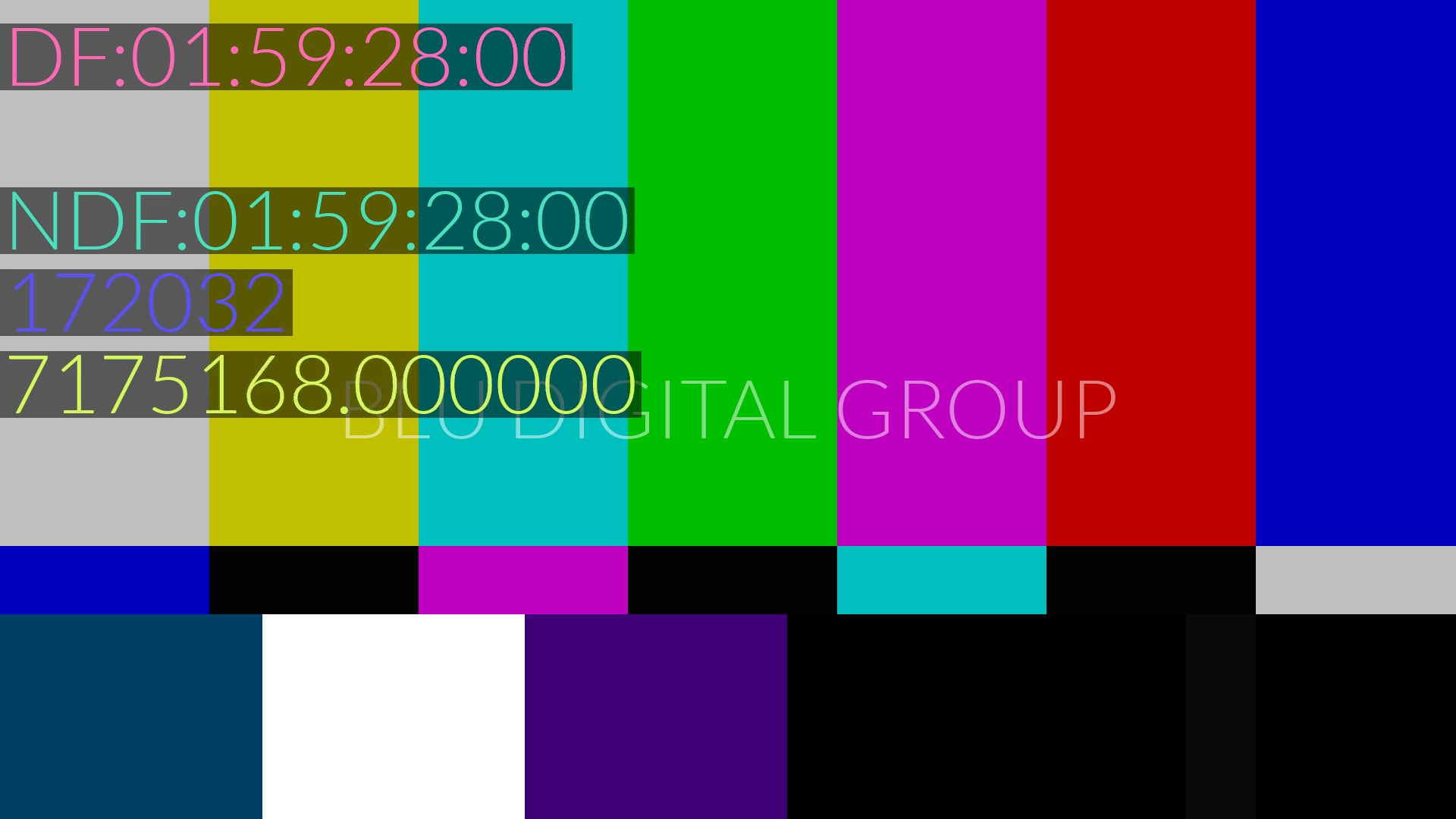
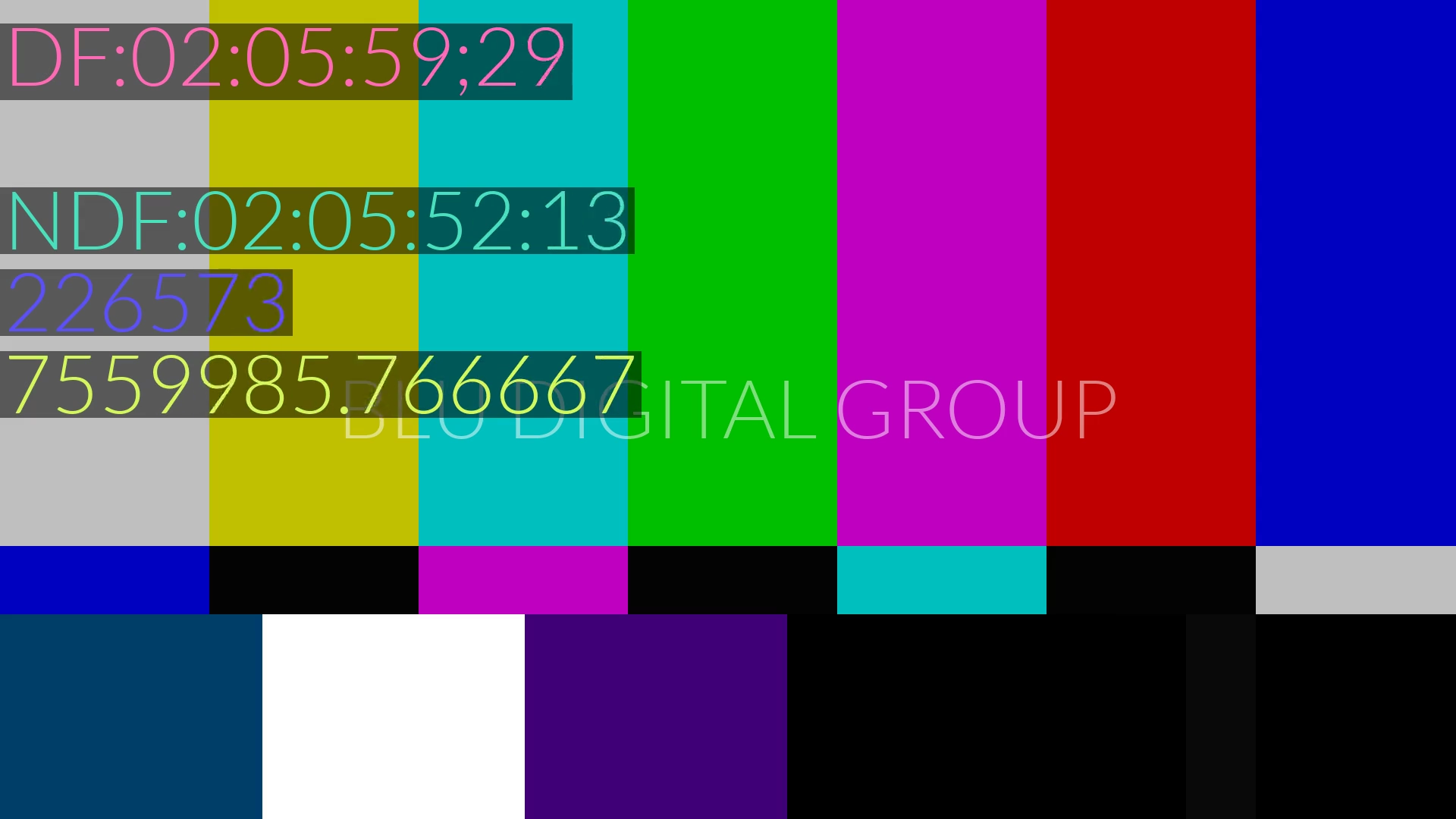
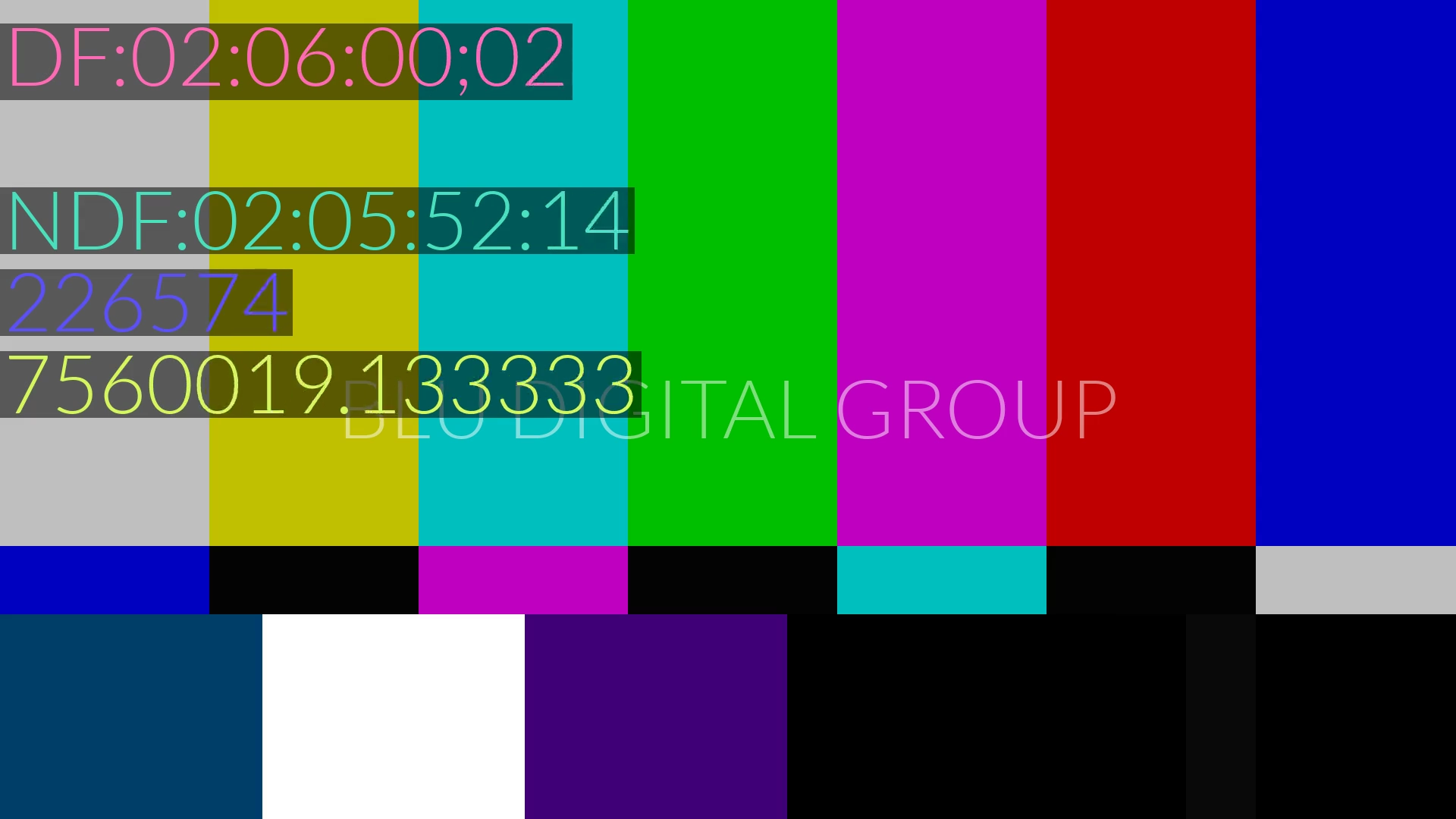
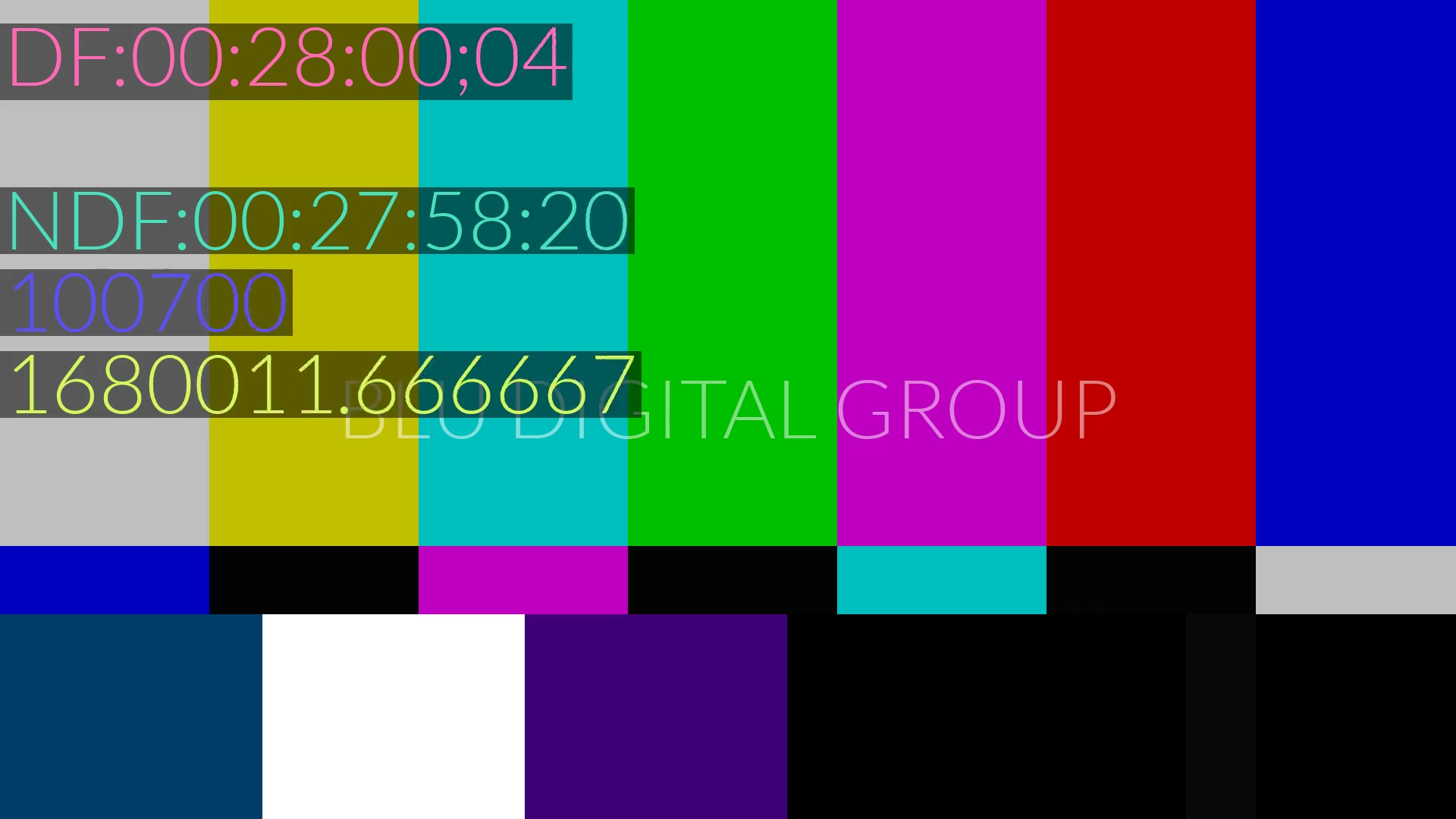
Why the Results Differ
The NTSC frame count problem
The timecodes Omni and ZapStudio got wrong — 01:59:28:00 → 171,860 instead of 172,032 — reveal a fundamental misunderstanding of how SMPTE timecodes work.
Both tools appear to treat the timecode as wall-clock time and multiply by the decimal fps:
7168 seconds × 23.976 fps = 171,860.168 → floor to 171,860
But that is not what a SMPTE timecode is. A SMPTE timecode is a frame counter formatted as HH:MM:SS:FF. The correct frame count for 01:59:28:00 at 23.976fps is:
(1×3600 + 59×60 + 28) × 24 + 0 = 172,032 frames
The frame count uses integer 24. The resulting frame is then played back at 24000/1001 fps — which is why frame 172,032 actually occurs at 7,175.168 seconds of real time, not at the 7,168 seconds the timecode display implies. That gap is exactly what NDF (non-drop-frame) means: the timecode clock runs at a different rate than the wall clock.
The difference here is 172 frames — about 7.17 seconds of drift at the 2-hour mark. In subtitle work, that is 172 cues landing on the wrong frame.
The NTSC millisecond problem
EditingTools gets the frame count right (172,032 ✅) but produces the wrong millisecond value when you ask for seconds/ms output: 7,182,343 ms instead of the correct 7,175,168 ms. That is 7,175 ms of error — about 171 frames — introduced somewhere in their ms conversion pipeline for 23.976fps.
The framerate conversion problem
When you convert 01:00:00:00 at 23.976fps to 29.97 DF, the correct approach is duration-preserving: compute the wall-clock duration of frame 86,400 at 23.976fps (3,603.6 seconds), then find the corresponding frame at 29.97fps (108,000 frames = 01:00:03;18).
EditingTools returned 00:48:02;28 — which is frame 86,400 expressed at 29.97 DF. It kept the frame number the same and re-labeled the timecode. That is a frame-preserving conversion, not a duration-preserving one. The tool even flags its own DF conversion as "Experimental" with a warning about potential 1-2 frame offsets. In this case the offset is 21,600 frames.
AVTools gets this conversion right: 01:00:03;18 at 29.97 DF, matching timecode.dev exactly. The 23.976-to-29.97 ratio is a clean 5/4 using exact fractions (24000/1001 → 30000/1001), which helps avoid decimal approximation errors.
The drop-frame algorithm
Rob's Timecode Calculator and EditingTools both get drop-frame right for TC → frame number conversions. The algorithm — from David Heidelberger's implementation of the SMPTE standard — correctly drops 2 frame numbers per non-decade minute for 29.97 DF and 4 per minute for 59.94 DF. The tools that fail drop-frame simply do not implement it at all.
The Semicolon Problem
There is a real-world ambiguity that none of these tools handle well: not everyone uses the semicolon to indicate drop-frame.
In SMPTE notation, 02:06:00;02 (semicolons) means drop-frame and 02:06:00:02 (colons) means non-drop-frame. These two strings refer to completely different frame numbers:
02:06:00;02at 29.97 DF → frame 226,57402:06:00:02at 29.97 NDF → frame 226,802
A difference of 228 frames — almost 8 seconds.
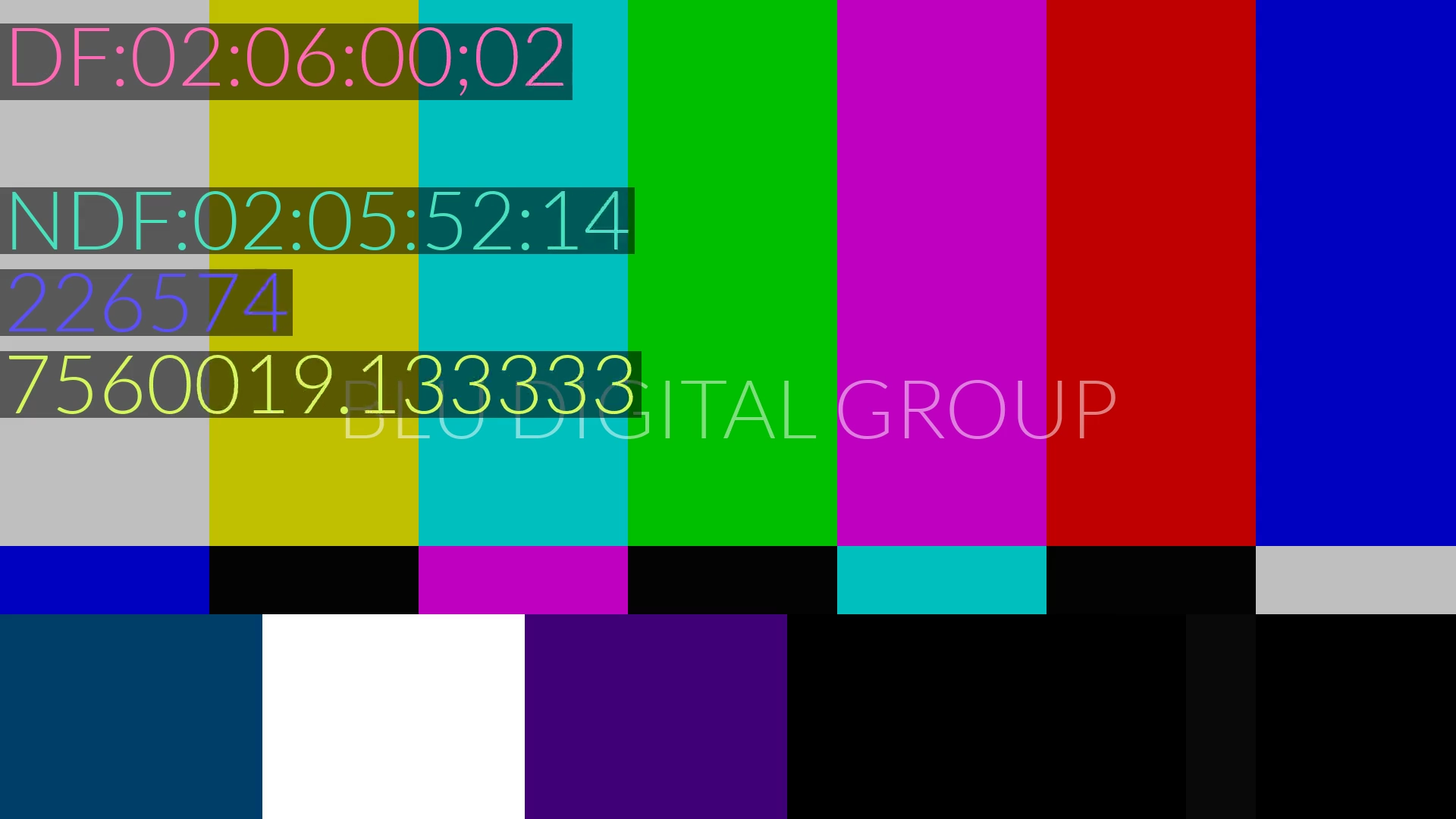
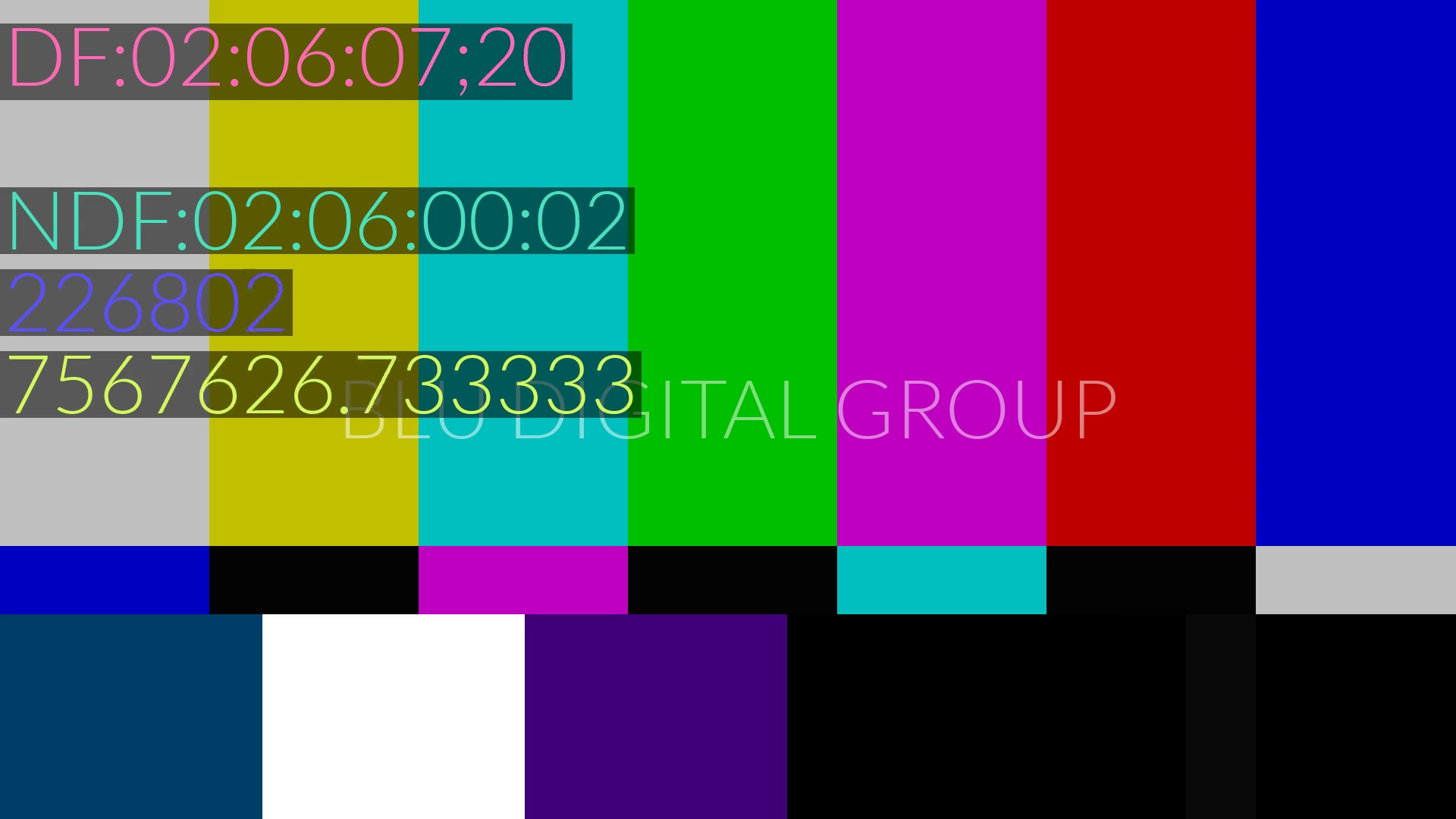
But entire groups of broadcast professionals refuse to use the semicolon as an indicator. They write 02:06:00:02 (DF) — all colons, with a parenthetical note. Subtitle files, EDLs, and metadata exports frequently arrive with colons everywhere regardless of whether the content is drop-frame. If your tool blindly interprets the colon as NDF, you land on the wrong frame.
The timecode playground handles this with a drop-frame mode selector that lets you force DF or NDF interpretation regardless of the separator character. Enter 02:06:00:02 with drop-frame mode set to "Drop-frame" and it correctly resolves to frame 226,574 — the same result as 02:06:00;02.
What "Frame-Accurate" Actually Means
The timecodes library — and by extension every tool on timecode.dev — uses frame-number-canonical computation:
- Parse any input (timecode, milliseconds, seconds, media time, frame number) and resolve it to an integer frame number using the exact framerate fraction.
- Compute in integer frame space. No floating point. No rounding until the final output step.
- Export to whatever format is needed, deriving milliseconds and timecodes from the frame number — never the other way around.
Every conversion in the library is verified against a test suite that checks six directions for each framerate: milliseconds to frames, milliseconds to timecode, timecode to milliseconds, timecode to frames, frames to milliseconds, and frames to timecode. The test values are computed from SMPTE first principles using the exact rational framerates (24000/1001, 30000/1001, 60000/1001), not decimal approximations.
This is what 861 passing tests buys you: confidence that 02:05:59;29 at 29.97 DF is frame 226,573, every time, in every direction.
Try It Yourself
Every test case in this article is reproducible in the timecode playground. Enter the timecode, select the framerate, and the playground shows you every representation simultaneously — frame number, timecode, milliseconds, seconds, media time. Change the input, and all derived values update.
If you are converting subtitle files between framerates, the bulk timecode converter processes entire timecode lists at once, using the same frame-number-canonical math.
The timecodes library itself is open source. The test suite is in the repo. If you think any value in this article is wrong, run the test. That is the whole point of having 861 of them.